Google Business Profile photo size: 10 rules for photos, cover photo and logo
Getting the Google Business Profile photo size right keeps your images sharp and keeps Google from rejecting them. The bigger win is posting the right photos often. Here is Google's guidance on photo size, cover photo size, logo and video, with what we actually post for clients each week.
- One business of each type per area
- No contract
- Nothing changes without your approval
10 Google Business Profile photo mistakes, and what we do about each
Use JPG or PNG between 10 KB and 5 MB.
Google's guidance for Google Business Profile photos is JPG or PNG files between 10 KB and 5 MB. Files outside that range, or in other formats, can fail to upload.
What we do: we size and save every photo we post in a format Google accepts, so nothing bounces.
Aim for at least 720 by 720 pixels.
Google recommends a resolution of about 720 by 720 pixels, and lists a minimum of about 250 by 250. Larger, sharp photos usually look better on phones, where most customers see your profile.
What we do: we check each photo for size and sharpness before it goes in a post, and skip ones that will look blurry.
Plan the cover photo around 1024 by 576.
Google's recommended Google Business Profile cover photo size is 1024 by 576 pixels, a wide 16 by 9 shape. Google does not always show the cover first, and it may pick a different photo it thinks fits a search.
What we do: we pick a strong wide shot of your work for the cover and check how the profile looks on the live map.
Keep the logo square and simple.
Your logo shows small next to your name, so a square image that reads clearly at a tiny size works best. Google's general photo guidance, about 720 by 720 recommended, is a safe size to use.
What we do: we help you upload a clean square logo and check that it displays correctly.
Keep videos short.
Google usually accepts videos up to 30 seconds long and up to about 75 MB, at 720p or higher. A short clip of a finished job or your crew on site is plenty.
What we do: we can add short job videos to your posts when you send them, checked against Google's limits first.
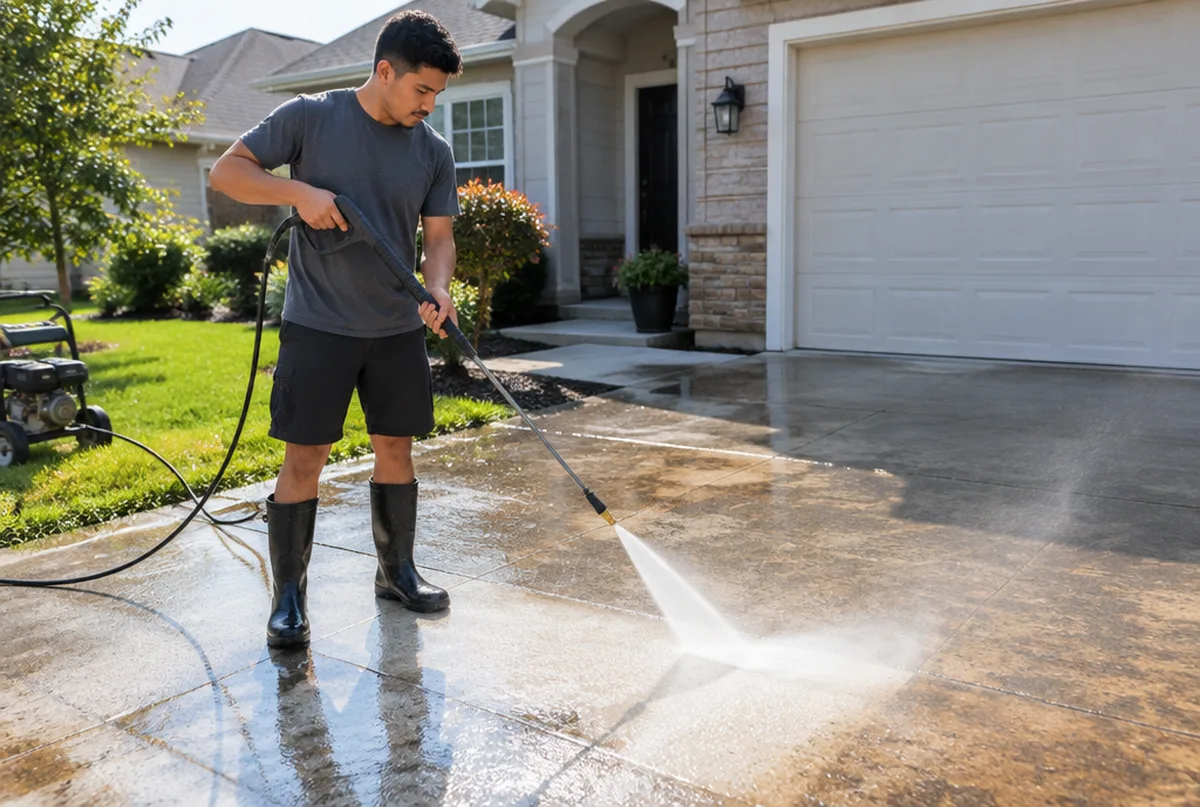
Post real work, not stock photos.
Customers want to see your trucks, your crew and your finished jobs. Stock photos and images covered in text or ads can be rejected by Google and do little to earn trust.
What we do: we publish one post a week with up to three photos from your real work, approved by you before it goes live.
Light and focus matter more than pixels.
Google asks for photos that are in focus, well lit and without heavy filters. A bright, simple phone photo usually beats a dark, edited one.
What we do: we give your crew a short list of shots to take on the job so the photos are ready to use.
Geotagging photos is mostly a myth.
Some sellers claim that adding GPS data to photos boosts rankings. Google usually strips that data when photos are uploaded, and there is no good evidence it helps. Your time is better spent posting real photos regularly.
What we do: we skip gimmicks and put the effort into the profile fixes and weekly posts that matter.
How to rank higher on Google MapsCustomer photos show up too.
Anyone can add photos to your listing, and some may be blurry, old or not your business at all. You can report photos that are off topic or inappropriate.
What we do: we watch new customer photos in the weekly profile check and help you report the ones that do not belong.
Photos help, but they do not fix a broken profile.
Great photos will not help if your category, pin or service area is wrong. Photos make the profile look active and trustworthy once the basics are right.
What we do: we fix the profile basics first, then keep fresh photos coming every week, and show you the map every month.
What we post and fix on real Google Business Profiles
We sign mutual NDAs with our clients, so we describe the work instead of naming the business.
Every business and market is different. We do not promise rankings. We show you the same map every month so you can see what changed.
Why owners hand us their profile photos and posts
- One business of each type per service area. We will not work for your direct competitor in the same towns.
- Google Business Profiles and Google Maps are what we focus on, not a menu of everything.
- You see the proof: a 49 point map of your area before we start, and the same map every month after.
- Nothing changes on your profile without your written approval, and you stay the owner of it.
- No contract. Stay because it is working.
What you get every month
- A 49 point Google Maps scan of your service area before we start
- Profile fixes: categories, services, description, service area, hours, attributes and booking or quote links
- One post a week plus up to three photos from your work, approved by you
- Suggested replies to new reviews, posted only after you approve
- A weekly profile check that catches changes Google or anyone else makes
- A monthly rescan on the same 49 points, with a plain update on your map, calls and clicks from Google, what we did and what comes next
Pricing comes with your scan. Request your map scan at no cost and we will send your map, a short video walkthrough and pricing together.
Get my map scanMore Google Business Profile guides
Profile setup and fixes
- Google Business Profile optimization
- Google Business Profile verification
- Google Business Profile suspended
- Add your business to Google Maps
- Claim your business on Google
- Service area business on Google
- Duplicate Google Business listing
- Google Business listing changed
- Add a manager to Google Business Profile
- Google Business Profile categories
- Change business address on Google
- Delete Google Business Profile
- Google Business Profile posts
Reviews
Rankings, Maps and leads
Common questions
See where your Google Business Profile shows up.
Send us your business and the towns you want customers from. We will run your 49 point map scan and send your map, a short video walkthrough and pricing together.
- 1.We run your map scan and look at your profile and search results.
- 2.You get a short note with what we would fix first.
- 3.If it makes sense, we set it up on a 15 minute call.