Google Business Profile Management in Las Vegas for Busy Owners
Google Business Profile management in Las Vegas means someone keeps your listing accurate and active every week, so it never looks abandoned. In a market with this many competitors, a quiet profile slides down the list while busier ones climb.
Owners here are slammed for months at a time once the heat arrives. Posting, adding photos and answering reviews are the first things to slip, and that is exactly when customers are comparing listings most.
Everything Included in Ongoing Management
We keep your categories, services, description, hours and service area accurate, add real job photos and publish a weekly post about current work or seasonal needs. When you add a service or change hours, the profile reflects it quickly.
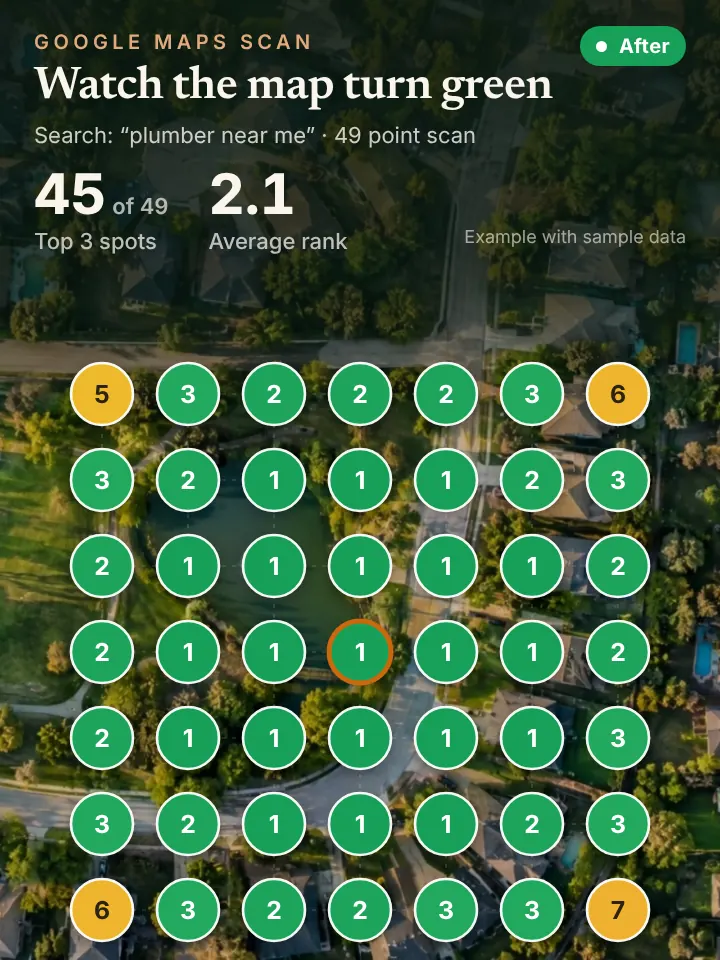
We request reviews after completed jobs and write a reply to each new review for you to approve. Every month you receive a report based on a 49 point grid scan, so you can see how your ranking moves across the valley.
There is nothing for you to learn. Drafts and replies arrive by message, you approve them from your phone between jobs, and they go live. Snap a photo after a repair in Summerlin and it becomes part of an upcoming post.
Keeping a Las Vegas Profile Current Through the Year
Las Vegas seasons are predictable, which makes them easy to plan around. Spring posts can cover air conditioning tuneups and pool openings, summer posts focus on emergency repairs, and the monsoon weeks call for roof and drainage content.
Photos should show the neighborhoods you serve. Jobs in Paradise, Whitney, Silverado Ranch, Mountains Edge, Aliante and Skye Canyon tell customers and Google that you cover the valley, not just one corner of it.
The valley never really sleeps, and many customers work nights in hospitality. Accurate hours and clear notes about emergency availability help them pick the company that will actually show up.
Many valley companies also serve customers who own rental or vacation homes and live out of state. Those owners rely heavily on the profile to judge a company they will never meet, so clear photos, recent replies and complete services carry extra weight.
A Managed Profile Supports Maps, AI and Your Phone Line
Your profile is the base for map pack ranking, and it is also one of the sources AI assistants consult when Las Vegas residents ask for a recommendation. Keeping it complete strengthens both.
An active profile brings more calls, so answering them matters. An AI receptionist can answer on the first ring, book the appointment and pass the caller to you when they want a person.
It also gives you a single place to see progress. The monthly scan and the AI answers sit side by side, so you can tell whether the work is paying off in each part of the valley.
Your Las Vegas Profile Checklist
Pull up your listing and note the date of your newest post and photo. Count how many reviews have no reply yet, and read the oldest unanswered one as a customer would.
Then check your hours against reality, including holidays and summer schedules. Make sure every service you sell is listed and your service area covers the parts of the valley you want work in.
Finally, search your trade without your name and look at who appears next to you. Compare how recent their photos and replies are with yours, since customers make that judgment in seconds.
Get a No Cost Look at Your Las Vegas Profile
Request the AI Visibility Audit to see how your profile ranks across Las Vegas and what AI assistants say about your business. The short walkthrough video points out the gaps and the first fixes.
Go to https://peaklocalserviceleads.com/AIVisibilityAudit to request it. Peak Local Service Leads manages Nevada profiles remotely from Lavon, Texas, with every post and reply sent to you for approval.
Google Business Profile Management in Las Vegas: common questions
Where do I go to manage my Google Business Profile?
Sign in to the Google account that owns the listing and search your business name on Google, or open the Business Profile manager. The edit tools appear right on the results page.
How do I contact Google about a problem with my profile?
Google offers support through the help center inside your Business Profile, including a contact option for listing issues. Have your verification details handy, since they will ask about ownership. Most listing problems, like a wrong pin or a suspended profile, can be handled online without ever visiting an office.
How much does it cost to get a Google Business Profile?
Google does not charge to create or keep a profile. What costs time is managing it every week, which is why many Las Vegas owners hand that work off.
Will I lose control if someone else manages my profile?
No. You stay the owner and add a manager through people and access in your settings. You can remove that access whenever you want, and with us every post and reply needs your approval.
See where you stand on the map and in AI answers
We check how your business shows up across your service area on Google Maps and whether ChatGPT, Gemini and other assistants name you, then send you the findings with a short walkthrough video.
Request your AI Visibility Audit