Google Business Profile Management in Columbus and Why It Matters
Google Business Profile management in Columbus means your listing gets regular attention instead of sitting untouched after the day it was created. For many service owners, the profile is the first thing a new customer sees, often before the website.
In a fast growing region, competition for those first impressions keeps rising. New contractors open every year to serve subdivisions around New Albany, Lewis Center and Grove City, and many of them post photos and collect reviews steadily. A listing that has not changed in a year starts to look like a business that might not be around.
What We Handle Each Week and Month
We publish a weekly post, add real photos from your jobs, keep services and hours accurate and draft replies to new reviews for your approval. Nothing goes live in your name without your okay.
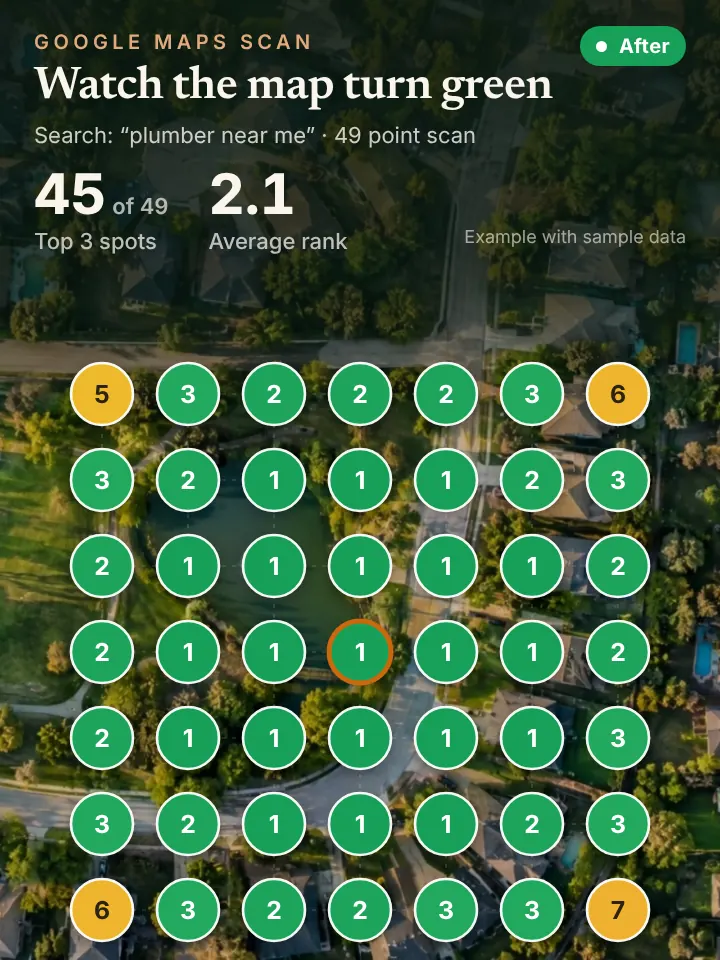
We also watch for unwanted edits, update holiday hours and adjust categories when your work changes. Each month you get a simple report with a 49 point grid scan that shows how your ranking looks across the metro.
Review requests are part of the routine as well. After a job wraps up, the customer gets a short, polite ask to share how it went, which keeps a steady stream of fresh feedback coming in instead of a burst every few years.
Columbus Details Worth Keeping Current
Columbus customers search by neighborhood and suburb, so your service area and posts should reflect where you actually work. A company focused on Bexley, Upper Arlington and Grandview Heights should say so, and one that covers Westerville, Powell and Delaware should make that clear as well.
The local calendar matters too. Ohio State move in weeks bring a rush for movers, cleaners and handymen around the campus area, while spring storms flood basements across the east side and summer heat keeps cooling companies booked. Posts and photos that match the moment show customers you are active.
Older housing stock in neighborhoods like Clintonville and German Village means plenty of repair work, and new construction farther out means warranty and maintenance calls. Photos from both kinds of jobs show the range you cover.
How Profile Management Supports Rankings, AI and Calls
A well maintained profile is one of the strongest signals for the Google map pack. It also gives AI assistants accurate information when Columbus residents ask ChatGPT, Gemini or Copilot to recommend a local company.
When that visibility brings more calls, an AI receptionist can answer the ones that arrive while you are on a job, so the extra attention becomes booked work.
Each piece makes the others stronger. Accurate hours on the profile match what the receptionist tells callers, and the reviews those happy callers leave give both Google and AI tools more reason to point people your way.
What Columbus Owners Can Review Today
Search your business name on Google while signed in to reach your profile tools. Check that you are an owner, that your hours fit this season and that your services list matches what you actually sell.
Look at your photos and ask whether they show recent work. Read your last ten reviews and reply to any without a response. If keeping that rhythm going each week sounds unlikely, it is a sign that outside help could pay off.
Check the questions and answers area and the suggested edits too. Strangers can post questions or propose changes to your listing, and an unanswered question about whether you serve Gahanna or Dublin is a small missed opportunity every time someone reads it.
Ask for Your Columbus Profile Review
Request the AI Visibility Audit at peaklocalserviceleads.com/AIVisibilityAudit for a no cost review of your Google Business Profile, your map position across Columbus and what AI assistants say about you. A short walkthrough video comes with it.
Peak Local works with Ohio service businesses remotely from Lavon, Texas, and the audit gives you a clear picture before you decide on ongoing management.
Google Business Profile Management in Columbus: common questions
Where do I go to manage my Google Business Profile?
Sign in to the Google account that owns the listing and search your business name on Google, or open your profile in Google Maps. The editing tools appear directly in the results. If you do not see them, someone else may hold ownership.
Does it cost anything to have a Business Profile on Google?
No. Creating and keeping a Google Business Profile has no charge from Google. The cost owners weigh is the time it takes to keep it current, which is why some hand it off.
Do I need an LLC to have a Google Business Profile?
No. Google does not require a particular business structure. It does require a real business that serves customers in person, and you must be able to verify it.
How often should a Columbus business update its profile?
A weekly post and new photos every few weeks keep it active. Hours, services and holiday closures should be updated whenever they change, and reviews should get replies soon after they arrive.
See where you stand on the map and in AI answers
We check how your business shows up across your service area on Google Maps and whether ChatGPT, Gemini and other assistants name you, then send you the findings with a short walkthrough video.
Request your AI Visibility Audit